Building On Windows
Install Dependencies
(1) Visual Studio
Install Visual Studio 2019
(2) Git
Install the latest Git for windows, either:
https://github.com/git-for-windows/git/releases/download/v2.27.0.windows.1/Git-2.27.0-64-bit.exe
or:
https://github.com/git-for-windows/git/releases/latest
should work.
(3) Visual Studio Packager
vcpkg: a C++ package manager for Windows, Linux, and MacOS, https://docs.microsoft.com/en-us/cpp/build/vcpkg
vcpkg is a command-line package manager for C++. It greatly simplifies the acquisition and installation of third-party libraries on Windows, Linux, and MacOS.
Install vcpkg by using Git to clone the vcpkg repo from GitHub: https://github.com/Microsoft/vcpkg. You can download to any folder location, preferably without any spaces:
>>> git clone https://github.com/microsoft/vcpkg.git
Run the bootstrapper in the root folder where you installed vckpg:
>>> bootstrap-vcpkg.bat
Tell vcpkg to integreate with your other tools, the previous bat file might do this, but I usually run:
>>> vcpkg integrate install
(4) Install 3rd party libraries from vcpkg
Install Cairo:
>>> vcpkg install cairo:x64-windows
Install LibJpeg:
>>> vcpkg install libjpeg-turbo:x64-windows
(4) Install CMake
CMake is the tool we use to generate the project files. Any CMake greater than 3.15 should work, we test develop with 3.17, CMake it is available at:
(5) Python
All of our software is desigend to be binary compataible with python. Radium itself does not actually use any Python code, but we need the Python runtime to know how to stucture our objects to be compataible with Python. We have only tested the official Python Windows binaries, it is unknown if other Python distributions such as Conda will work. Get the official binaries here:
https://www.python.org/downloads/windows/
We currently use Python version 3.7.7, it is unclear if newer version are incompatible. Use the official Windows install, and make absolutly sure you choose all options, including debug files like:

(6) Get the Radium source code
We strongly reccomend creating a src folder, and inside this folder,
download the Radium source code, and also create a separate build directory,
someting like ra-build.
The source code is at: https://github.com/AndySomogyi/radium
Use git recursive to get all of the sub-modules:
>>> cd src
>>> git clone git@github.com:AndySomogyi/radium.git --recursive
Use CMakeGui to create a new Visual Studio project
Use CMake Gui to open the Radium project source dir, and choose a build dir. If the vcpkg environment varaibles are properly set, and all the other envirnment variables are set correctly from the previous installers, CMake should automatically find everything. Our CMake build script is set up to automatically download the libSBML dependencies.
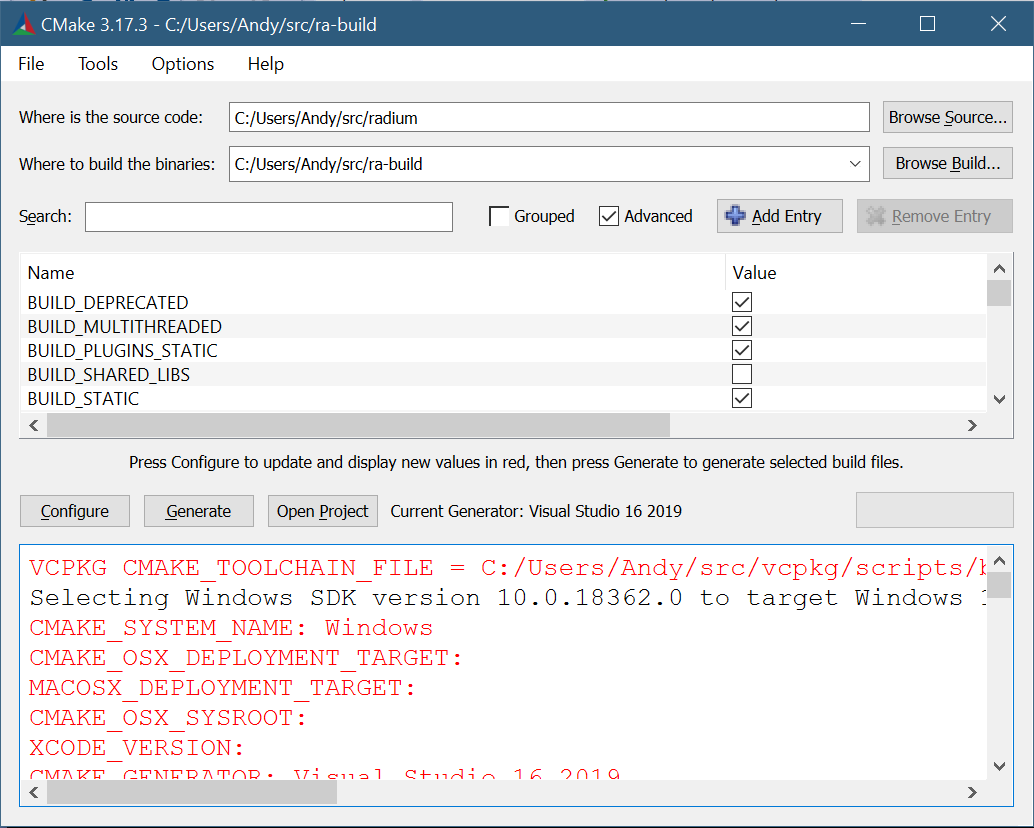
Choose ‘Configure’ and then ‘Generate’. This should create the Visual Studio project files, and you can now open them, and build.